
LKR P2P Rate
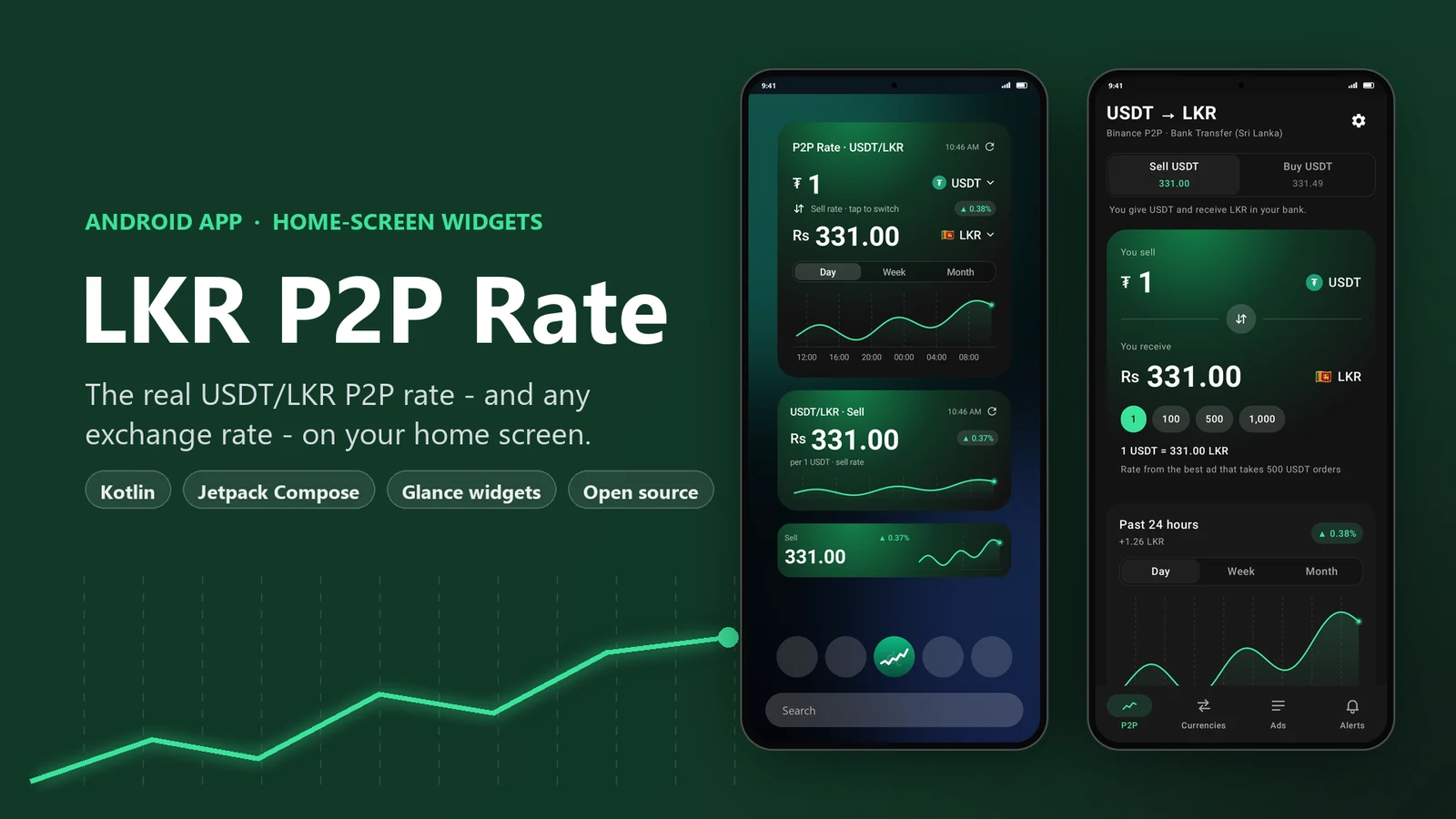
Shows the USDT to LKR P2P rate you can actually get, along with exchange rates for any currency, live on your Android home screen.
- Role
- Platform
- Type
- Widgets + companion app
- Stack
- Version
- Licence
01Overview
In Sri Lanka, a lot of people move money using USDT, and the number they really care about is the Binance P2P rate, which is how many rupees a real trader will pay for one USDT right now. Checking it usually means opening an exchange app, choosing whether you’re buying or selling and how you’ll pay, then scrolling past ads that need a minimum order much bigger than yours.
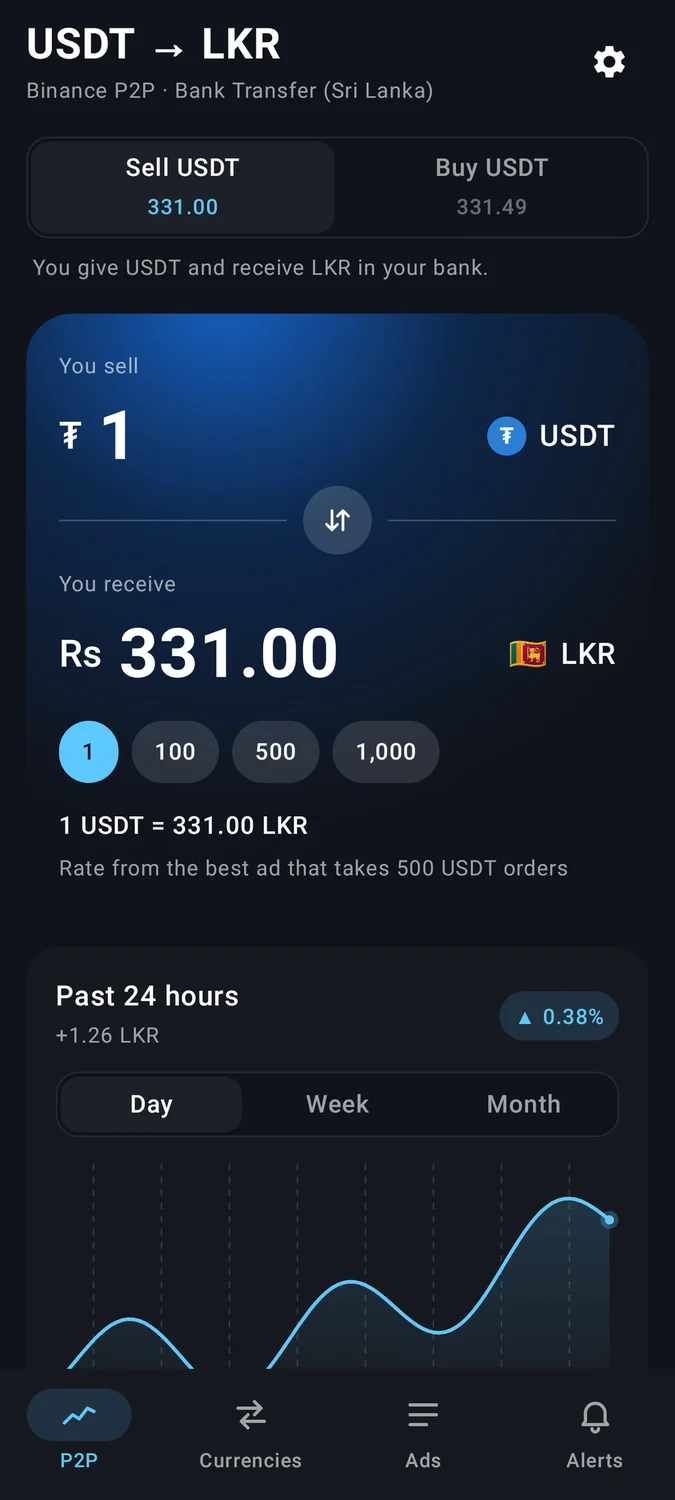
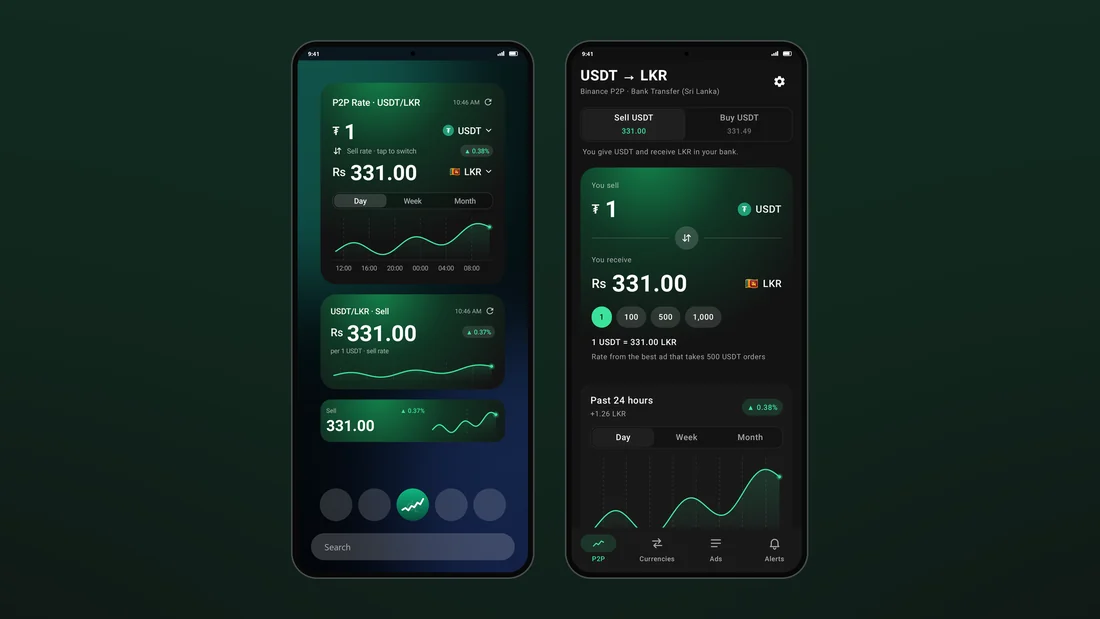
LKR P2P Rate puts that number right on your home screen. Its resizable widgets read the public P2P order book and show the best rate you can actually get for your usual order size, along with a trend chart for the day, week or month. The companion app adds a currency converter, the live list of ads, rate alerts, a second widget for normal exchange rates across more than 300 currencies, and nine colour themes. There’s no account to create, no ads and no tracking.
The headline price lies
The top P2P ad often needs a minimum order much bigger than most people trade. Showing that rate to someone selling 500 USDT means showing them a price they can never actually get.
Promoted ads jump the queue
Binance pins paid "Promoted Ad" listings above ads with better prices, so the first ad in the list often isn’t even the best one.
Android sleeps
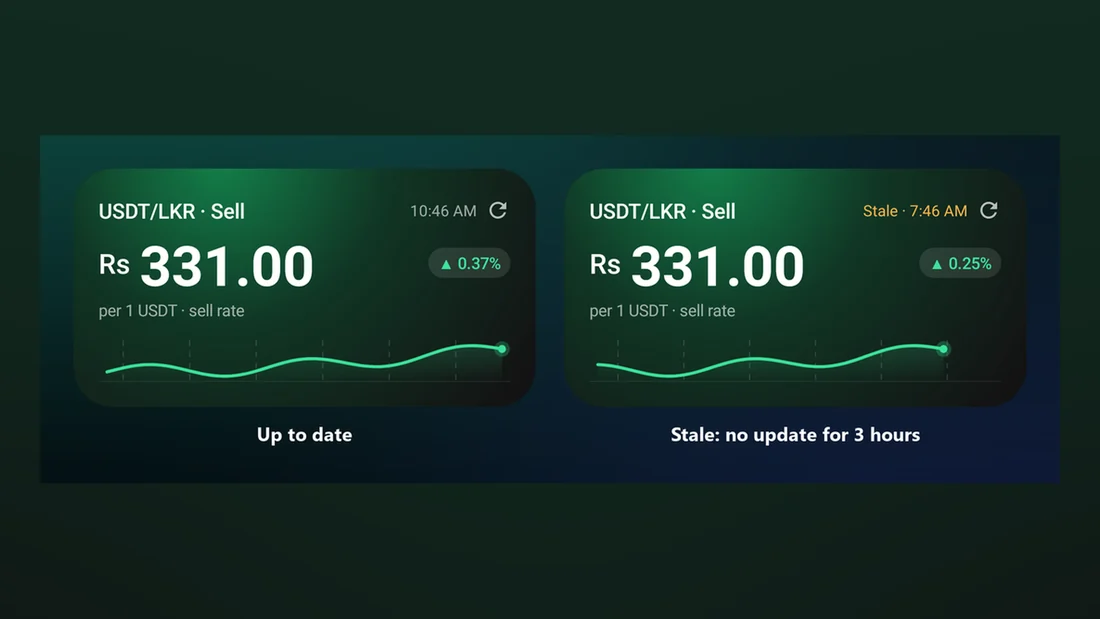
Android’s Doze mode and the battery savers that phone makers add can delay background work for hours, which leaves gaps in the rate chart overnight.
One widget, every size
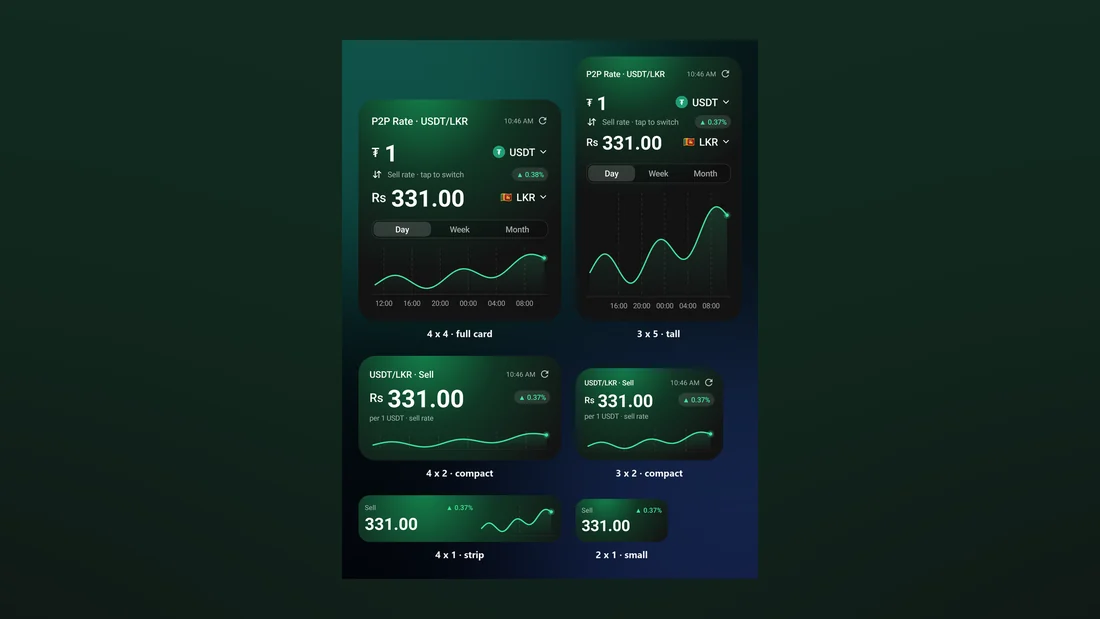
The same widget might be a small 2x1 strip on one launcher and a large 4x4 card on another, with different corner shapes and font sizes.
02Key Features
Resizable rate widget
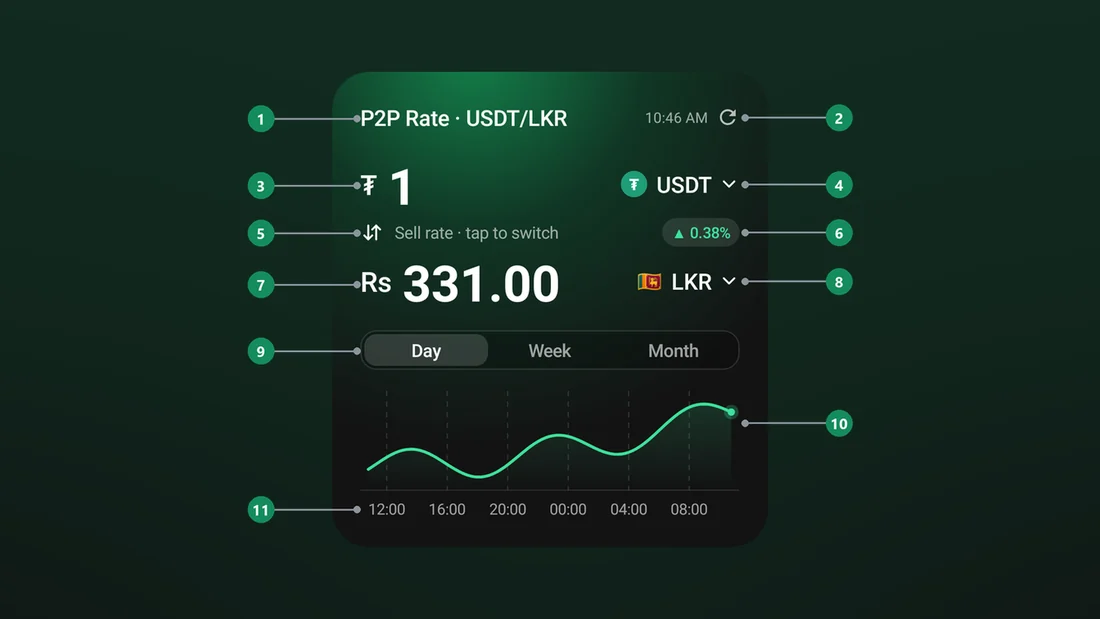
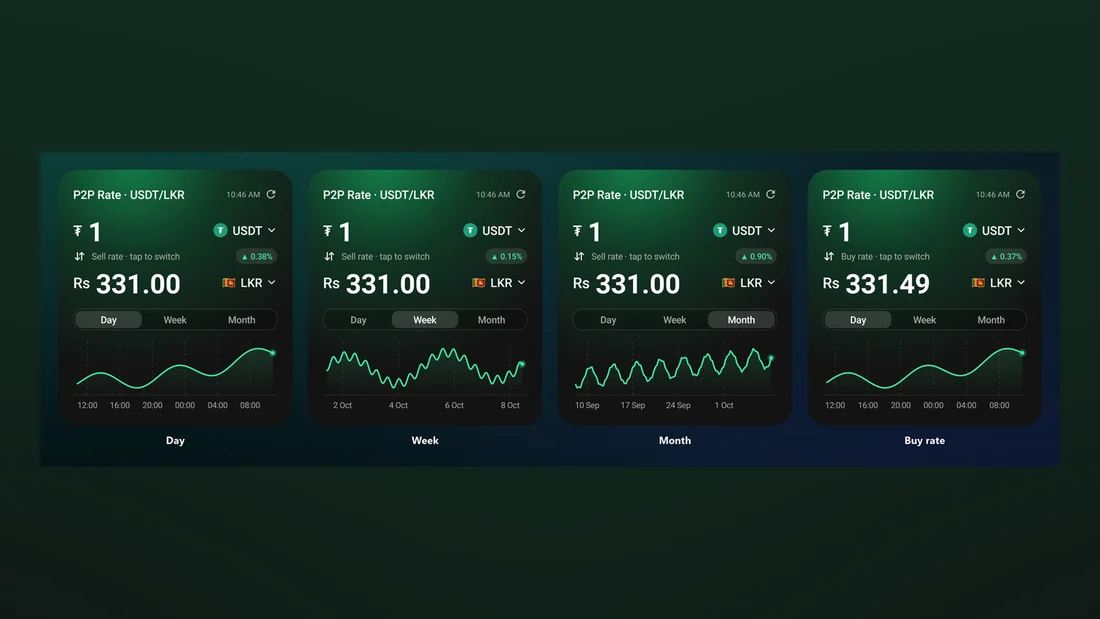
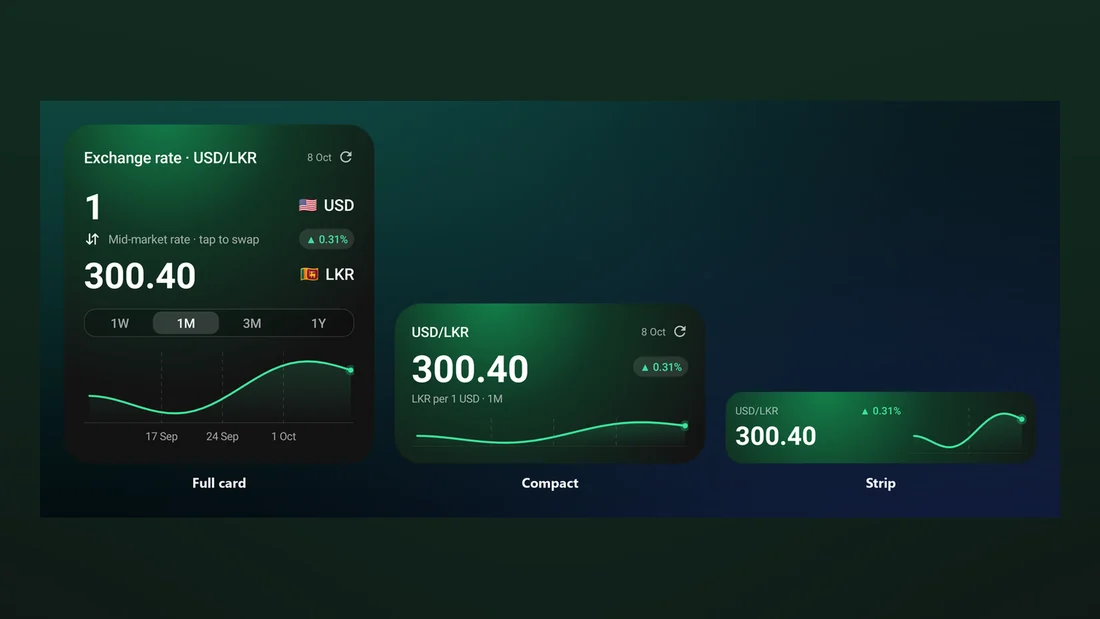
It goes from a small 2x1 strip all the way up to a full 4x4 card. There are three layouts, and the widget picks one based on its exact size, with text that scales to fit.
Charts on the home screen
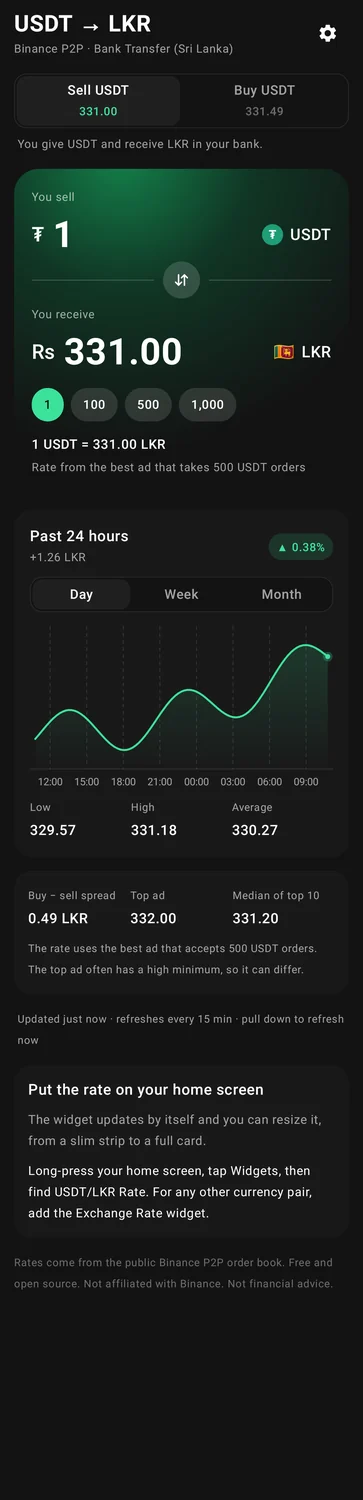
Day, week and month charts are drawn right on the widget, with a small trend label. If data collection paused at some point, the chart shows a break there instead of making up a flat line.
Sell / Buy per widget
Tap a widget to switch between the sell rate and the buy rate. Each widget remembers its own side, time range and theme.
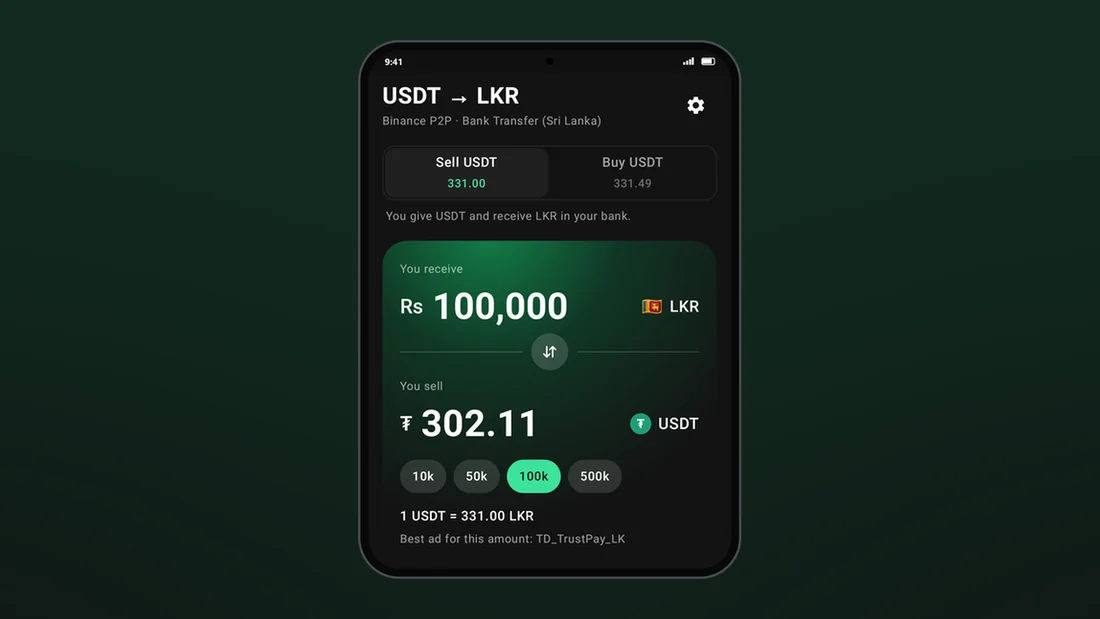
Converter priced from real ads
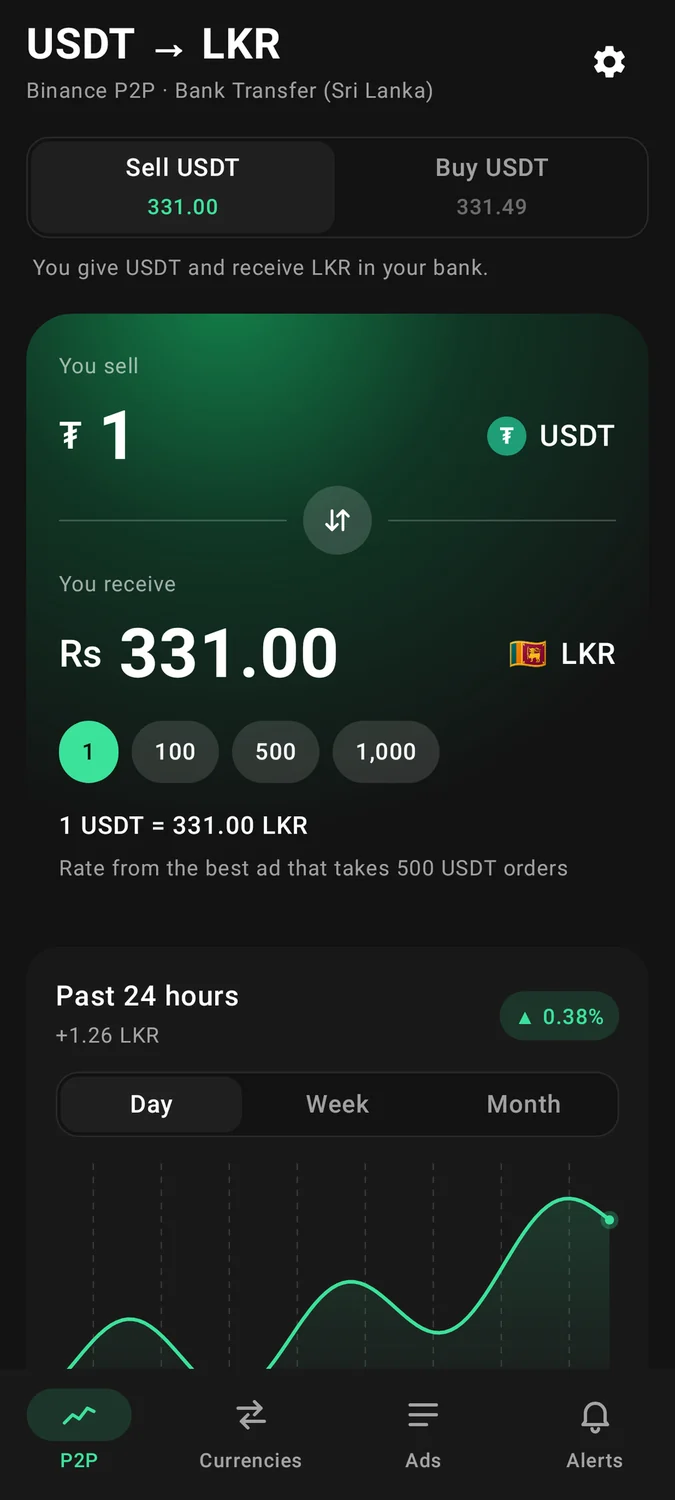
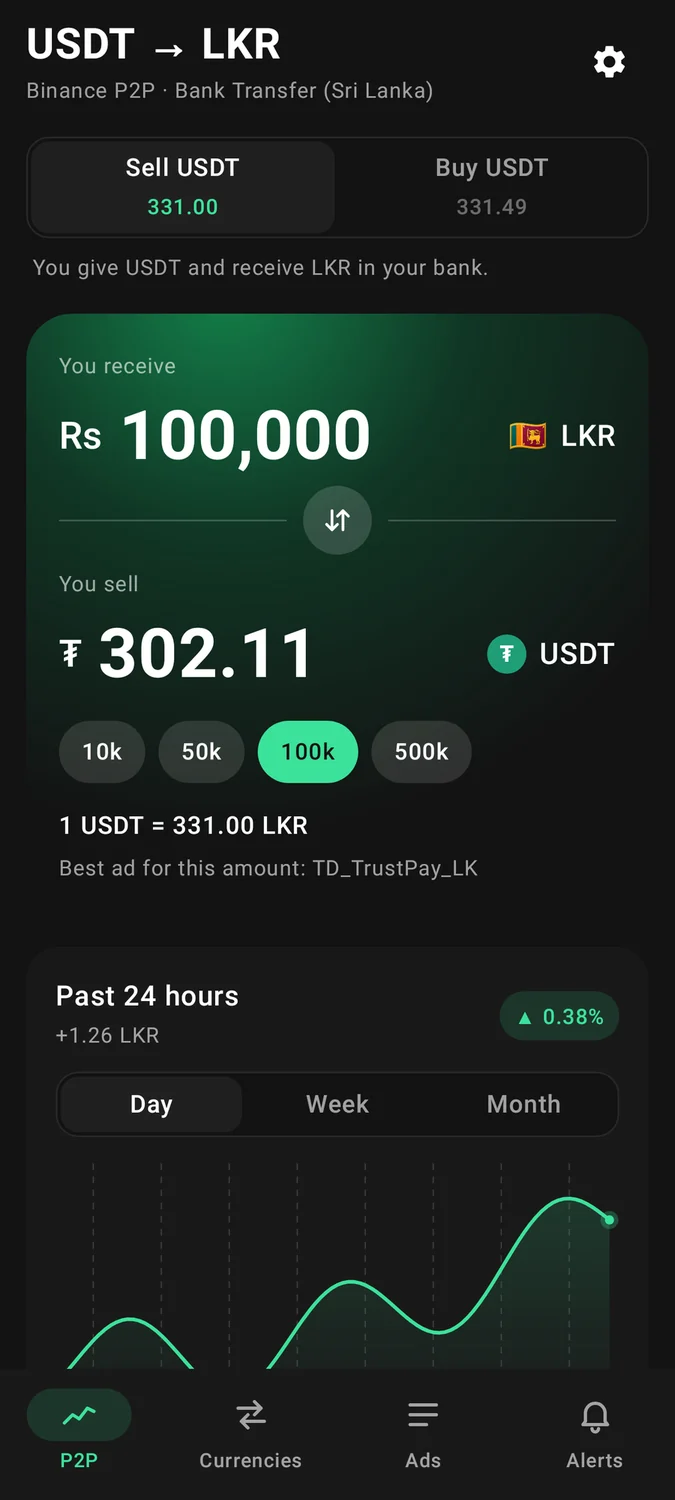
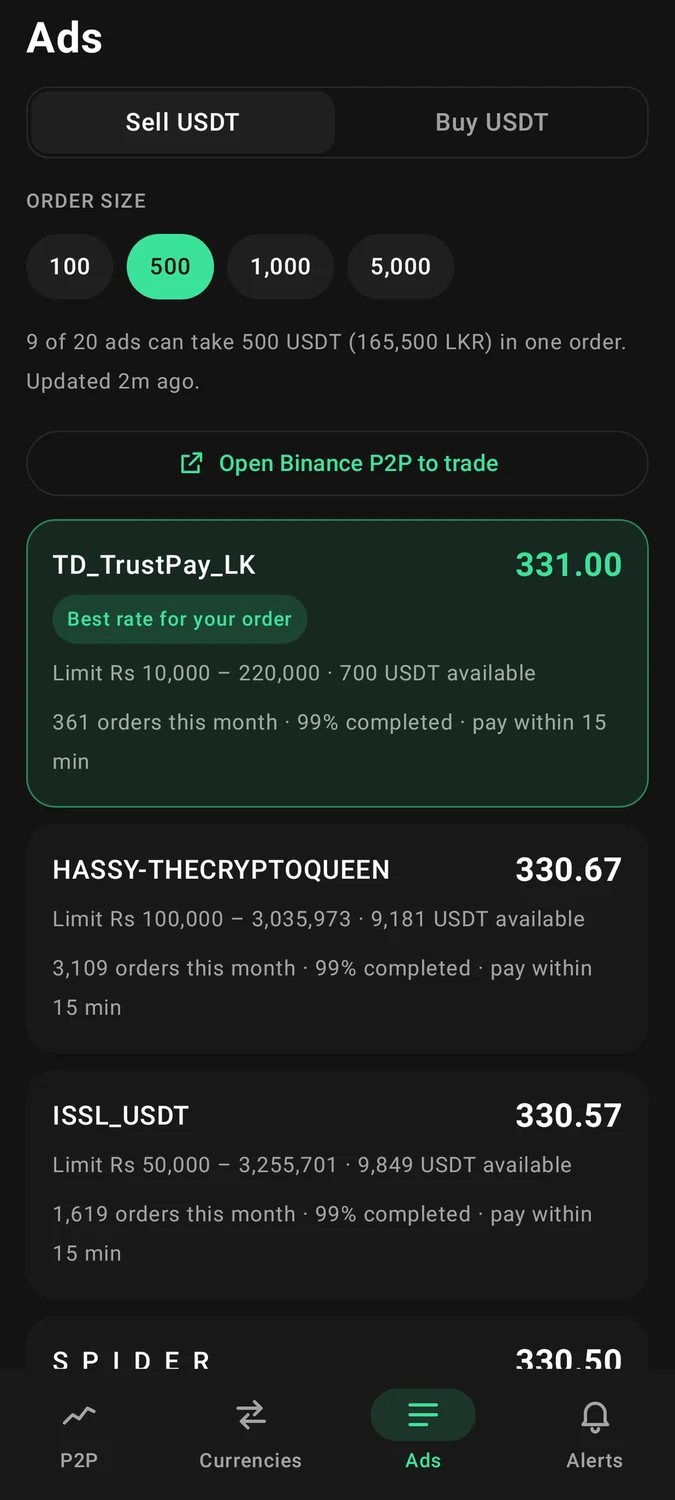
Convert USDT to LKR or the other way round. The price comes from the best ad that will accept that exact amount, and the app tells you which ad that is.
Live order book
The Ads tab filters the list by your order size, highlights the best ad for you and tucks away the ones that can’t take your order, along with the reason why.
Edge-triggered alerts
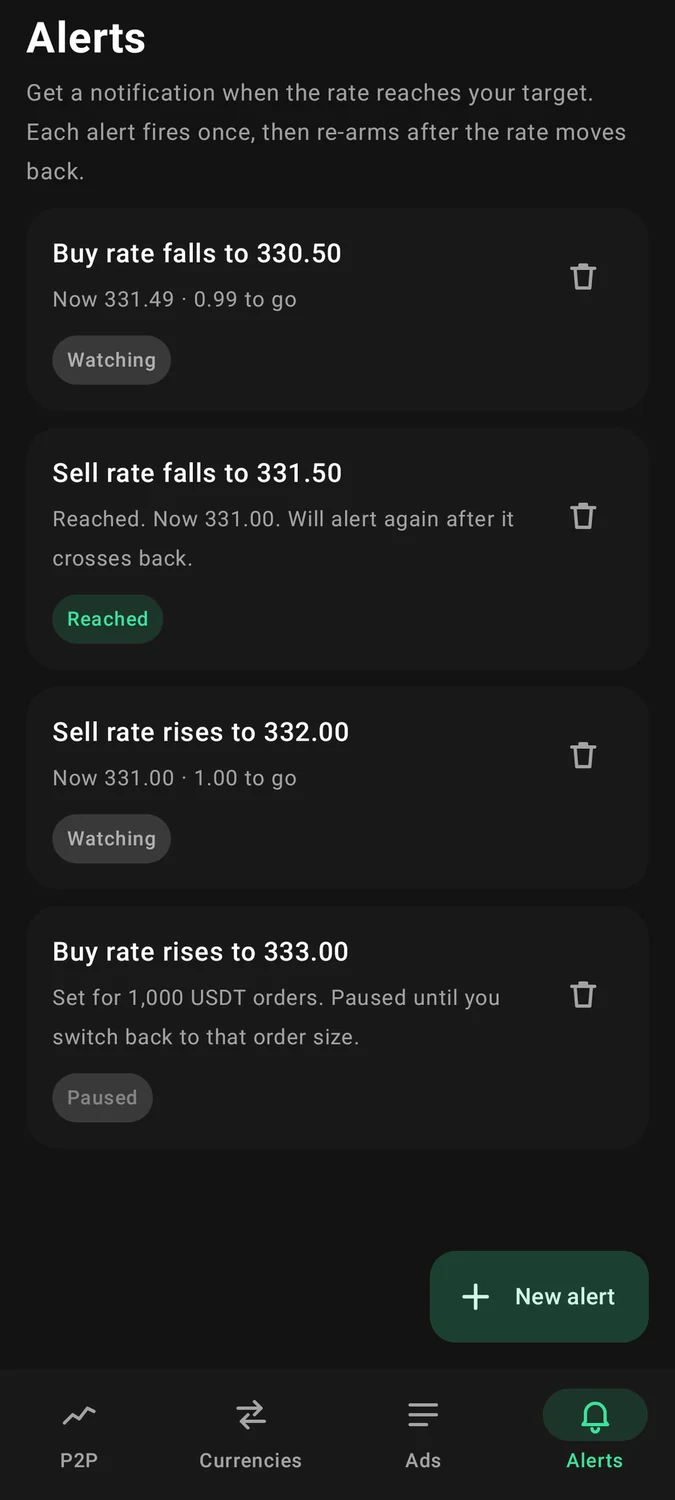
Set an alert like "Sell rate rises to 332.00". It fires once when the rate crosses that line, and only resets after the rate crosses back, so a rate that hovers around your target won’t keep spamming you.
Exchange Rate widget
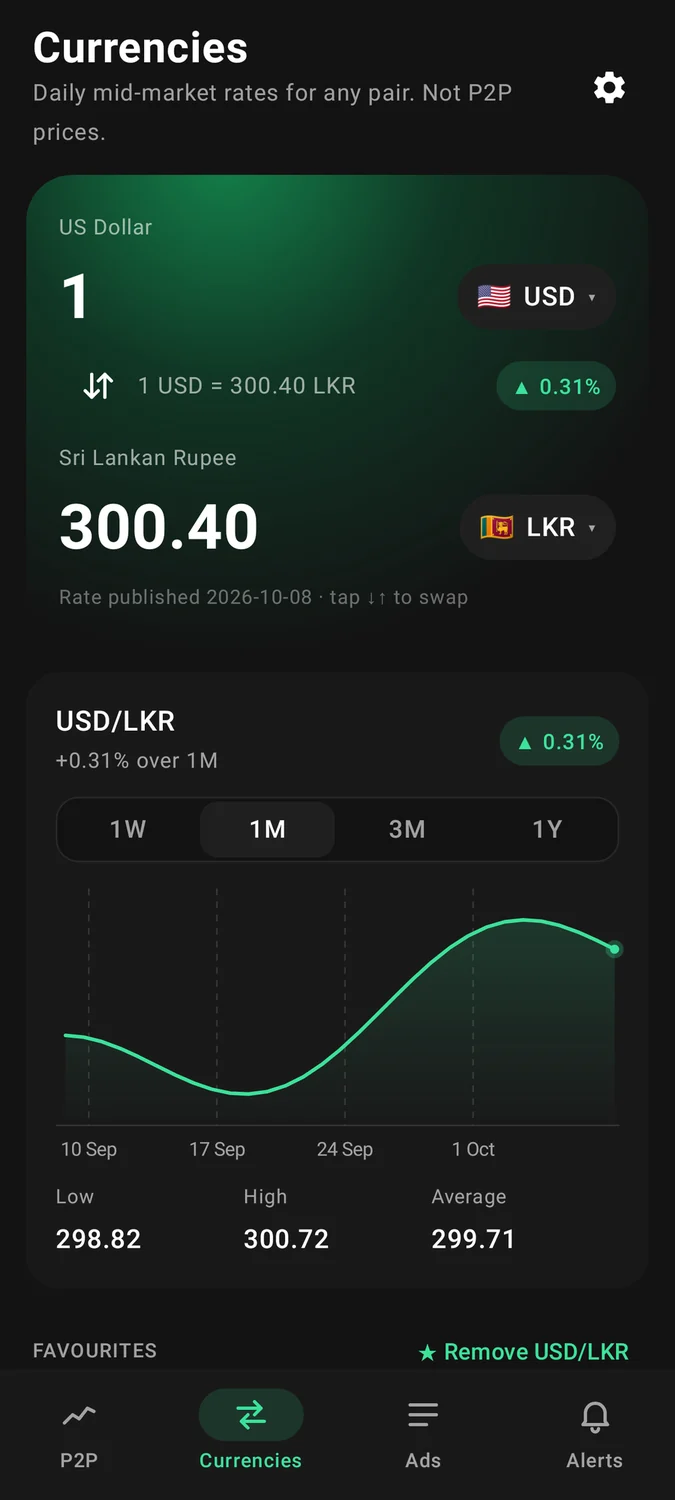
A second widget and converter for any currency pair, covering more than 300 currencies and the major cryptocurrencies, with 1W, 1M, 3M and 1Y charts that work offline.
Nine themes
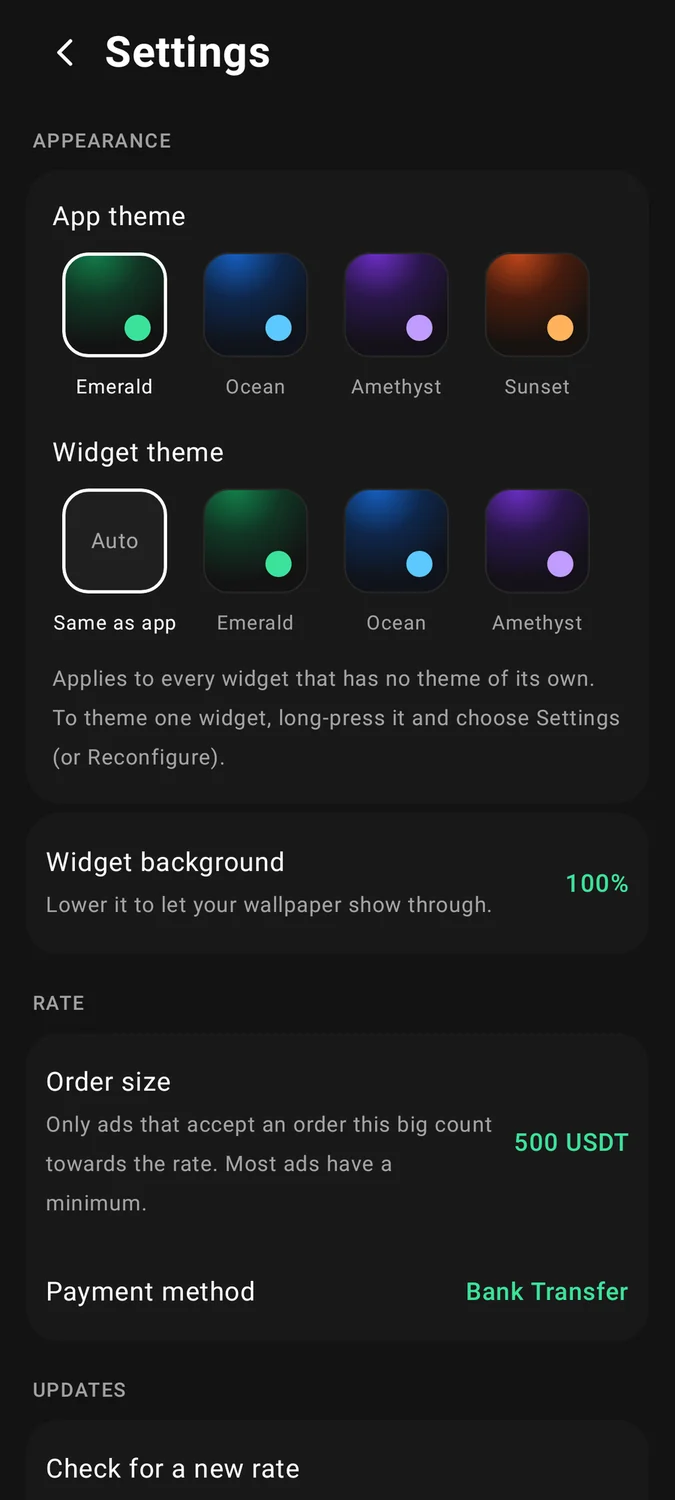
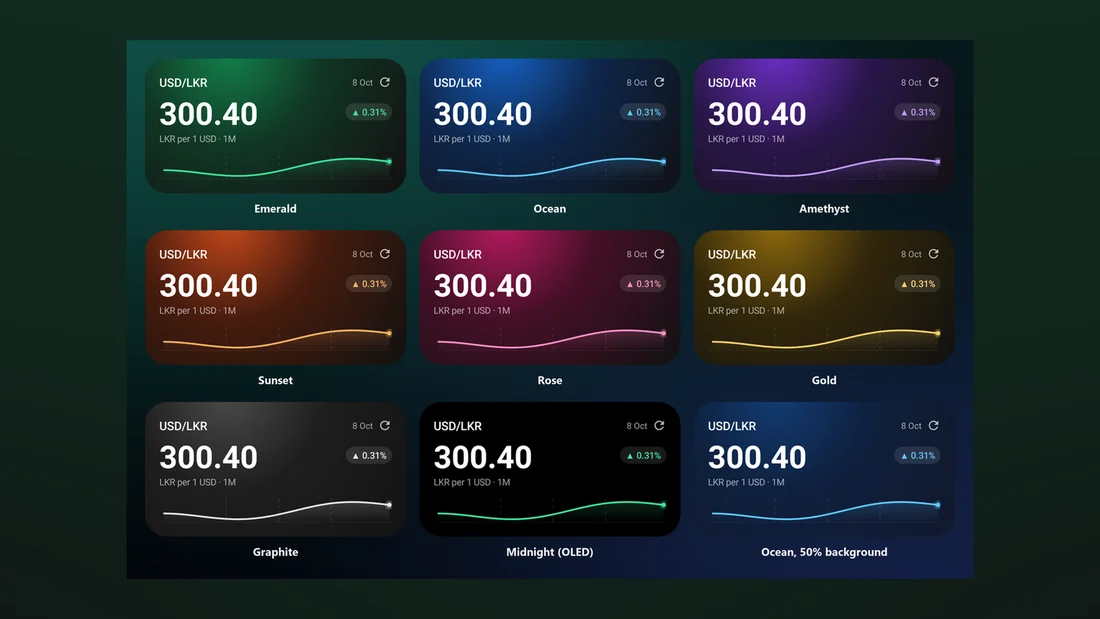
Choose from Emerald, Ocean, Amethyst, Sunset, Rose, Gold, Graphite, OLED Midnight and Material You, and adjust how transparent the widgets are.
03Screenshots
Screens taken from the real product. Tap any of them to see it full size.
04Architecture
It’s a single-module Android app written in Kotlin. At its heart is a core that knows nothing about Android, with a small data layer on SQLite and background collection handled by AlarmManager and WorkManager. One set of drawing code is shared by the Glance widgets and the Compose app, so both draw exactly the same chart.
Pure core
The core handles the data format, the clients for Binance P2P and exchange rates, the calculations for the price you can actually fill and the median, the trend, the converter and the alert engine. It’s plain Kotlin and is unit-tested against real recorded responses from Binance.
Fillable rate
To work out the rate, the app puts promoted ads back into proper price order, sorts them from best to worst for the side you’re on, and then takes the first ad whose rupee limits and available USDT can handle your order size. That ad’s price is the rate for 1 USDT.
Local history
SQLite tables store rate samples, the latest snapshot of the order book and your alerts. The app keeps 30 days of history for each side and order size, which you can export as a CSV, and none of it ever leaves your phone.
Doze-safe collection
An inexact alarm that’s allowed to run even when the phone is idle handles the 15-minute check, with WorkManager as a backup. There’s no foreground service, no permanent notification and no special permission needed.
Shared painters
The background and chart drawing code renders to images that are used by both the Glance widgets and the Compose screens, so the widget and the app can never show different charts.
Exchange rates
Exchange rates come from daily files based on the US dollar, provided by an open-source currency API. Any currency pair is worked out by going through the dollar, and history is downloaded once per time range and saved so it works offline.
05Tech Stack
App
Widgets
Background & data
Quality & tooling
06Engineering Challenges
07Results & Learnings
- An Android app that’s ready for the Play Store, with widgets from a small 2x1 strip to a 4x4 card, a P2P tab with a converter and charts, the live order book, alerts, an exchange rate widget and converter, and themes for each widget.
- Privacy is built in from the ground up. There’s no account, no analytics, no ads and no crash reporting. The only requests the app makes are to Binance’s public P2P search and to public daily exchange rate files.
- Every image in the README and on this page is rendered from the real app code, not mocked up in a design tool.
- It’s free and open source under the MIT licence, and the rate logic was ported from DFanso’s macOS widget.
What I learned
- Work out honestly what the number should be first. The whole product comes down to the difference between the top ad and the ad you can actually use.
- On Android, "every 15 minutes" is really a negotiation with the operating system. It’s better to design the interface to admit when data is out of date than to hide it.
- Sharing one piece of drawing code between the widget and the app gets rid of a whole category of bugs where the widget shows something different from the app.
- Rendering screenshots from tests means the documentation can never fall out of sync with the code.